Getting started
We set it up. You keep it current.
Start with the programme you already have: a spreadsheet, PDF, web page or draft. We set up your event and give your team access to manage it.
You supply the content
Share your timetable, lineup and available artist and map information.
We set up the programme
OneMoreSet prepares your mobile event programme and agrees a go-live date with you.
You check and share
Check the programme and share the link. Manage further changes in the admin environment.
A set moves. You update the timetable.
Once your event is set up, your team manages the programme in the admin environment. Make changes before the event and when plans change on the day.
Set times
Change the start and end time of a set. Keep the running order correct when an act moves.
Days and stages
Assign acts to the right day and stage. Keep a multi-stage programme together in one place.
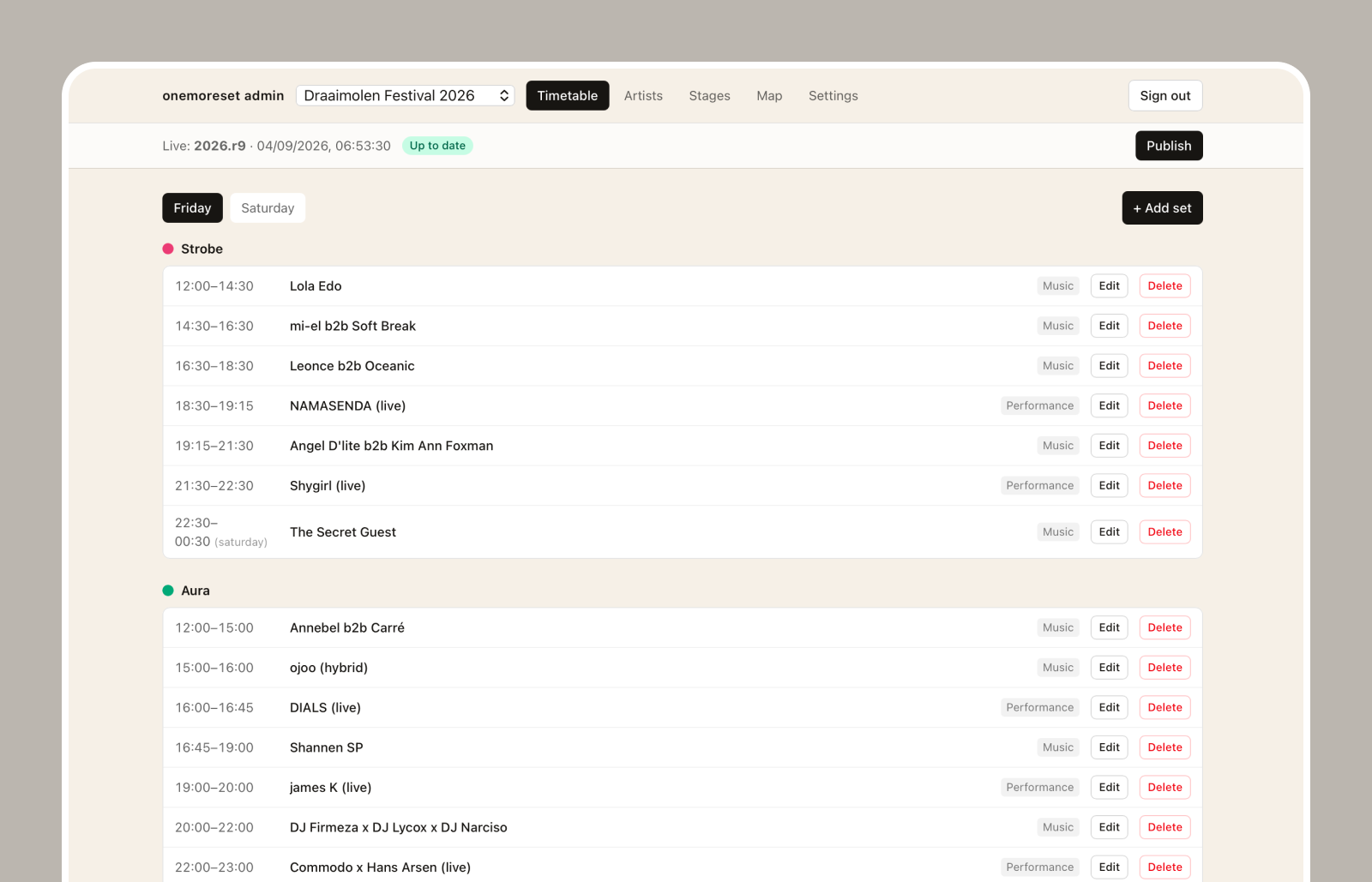
More than a name and a set time.
Visitors also want to know who is playing and where to go. Manage that information alongside your timetable.
Artists and biographies
Add artists and edit their biographies. Visitors can open the artist information from the programme.
Map and facilities
Manage stages and useful map locations, such as the entrance and facilities.
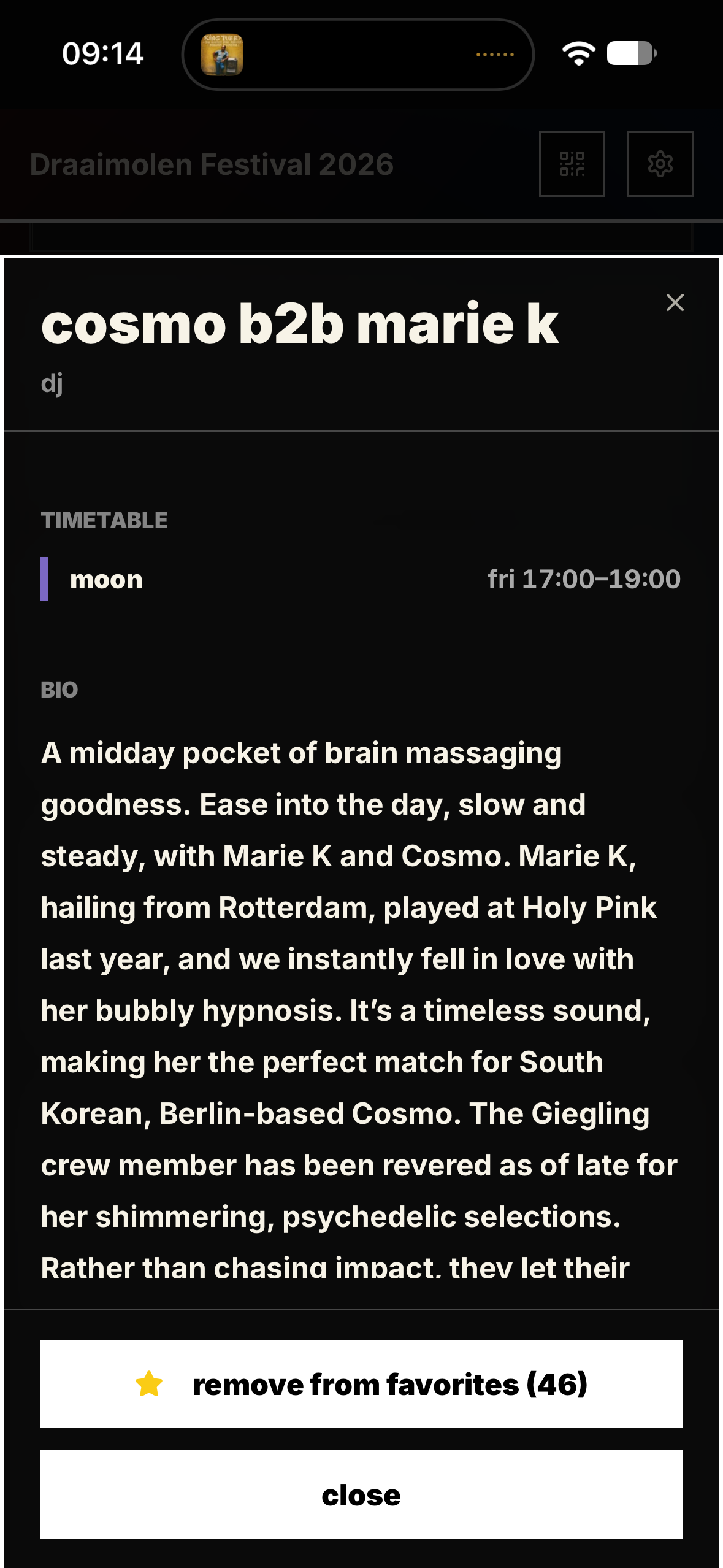
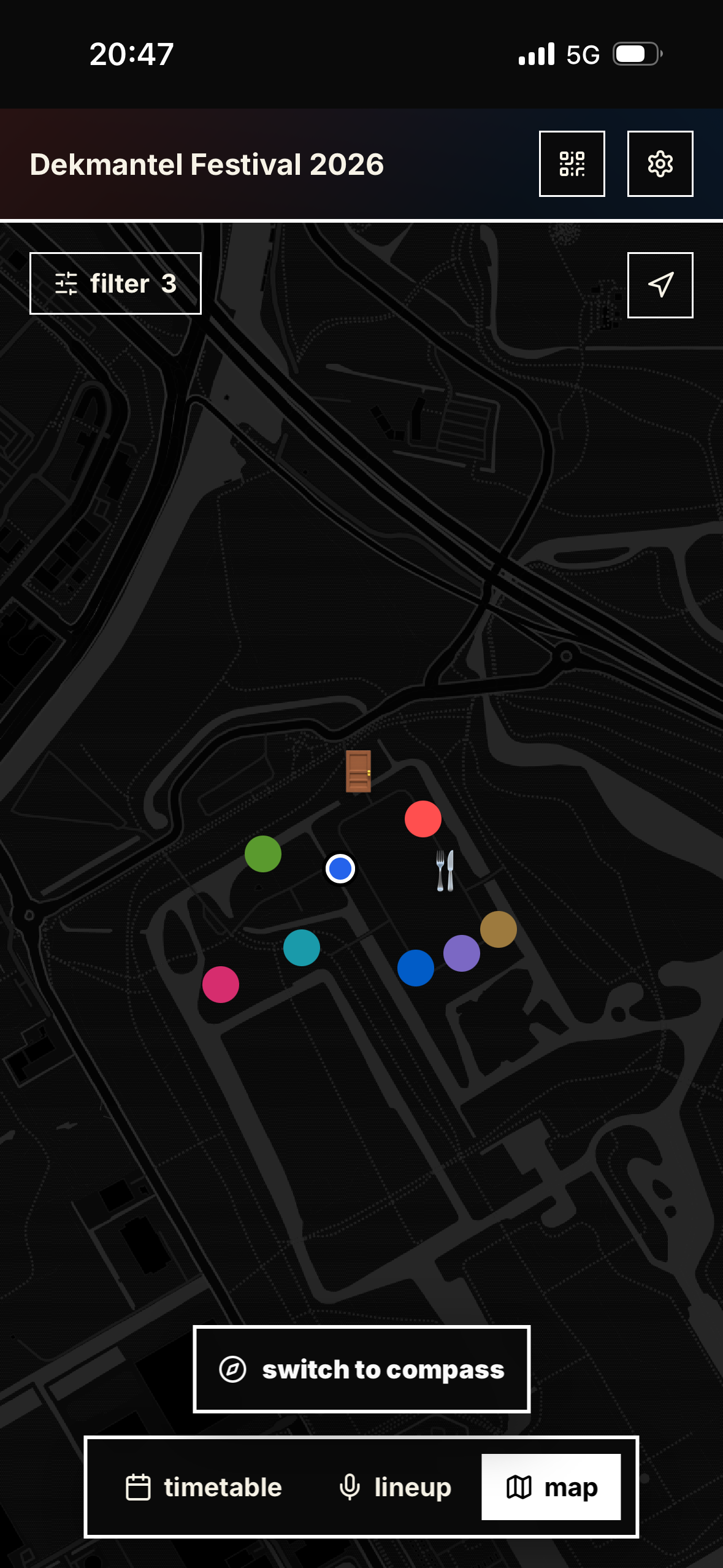
Prepare your changes. Publish when ready.
Saving a change does not immediately change the visitor programme. Save your work as a draft and publish when the content is ready to share.
One published programme
Visitors receive the updated information when their app connects to the internet. You keep sharing the same event link.
Your programme. Their plan for the day.
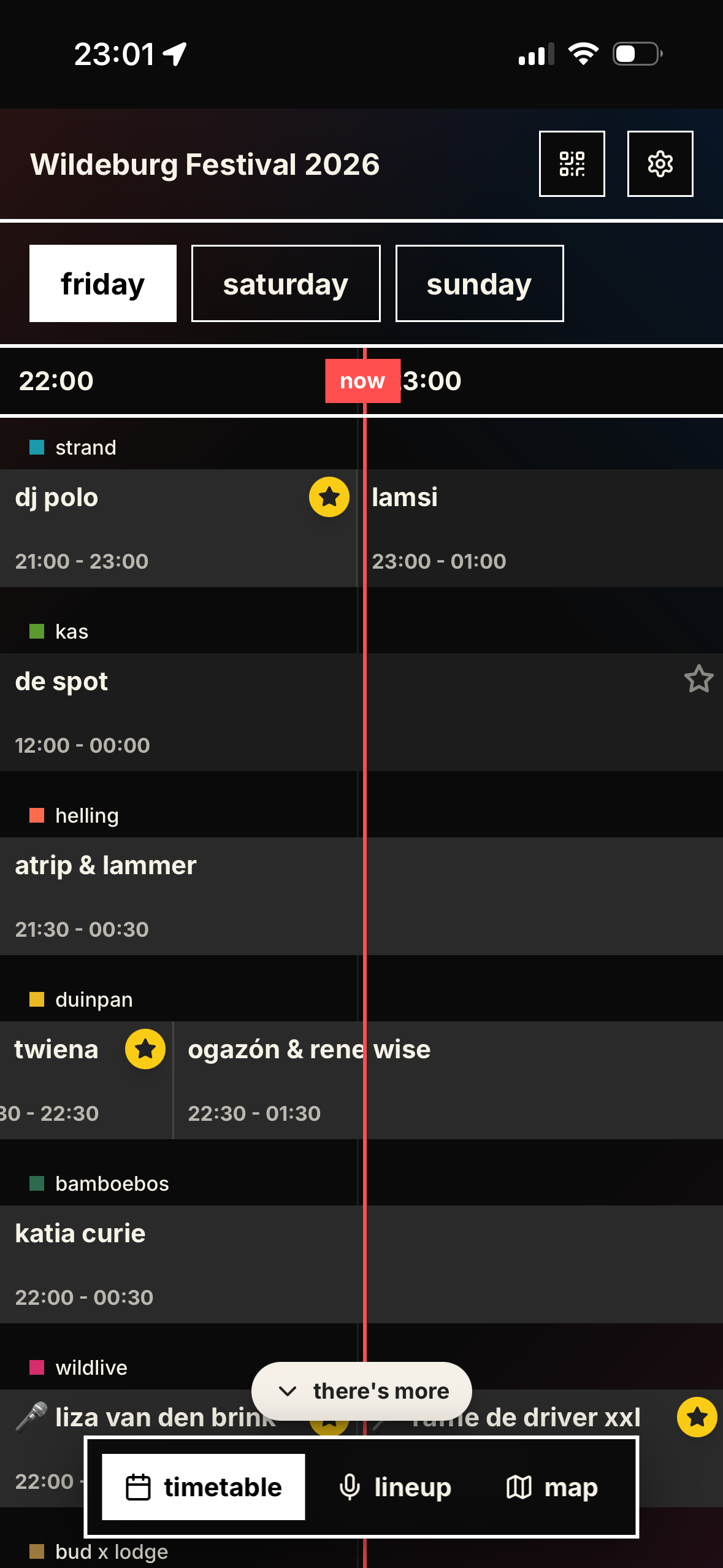
What you publish becomes a mobile timetable. Visitors see who is playing when, save their favourite sets and set reminders.
Open with one link
Share it on your website, in email, on social media or through a QR code. No app store or visitor account; adding it to the home screen is optional.
Everything for your event
Artist information, favourites and the map stay together in the same app. Once loaded, programme information also remains available offline.
Ready for your event. With help on hand.
The programme can go live quickly. We agree the timing, setup and cost estimate with you before getting started.
You have direct contact with OneMoreSet, including if something goes wrong during the event. Before going live, we agree how to reach us and what support you need.
Discuss setup and costsCommon questions
What does it cost for my event?
Contact us for a cost estimate for your event and the setup you need. Your programme does not have to be complete yet.
How quickly can it go live?
The programme can be set up quickly. Share your event date and what you already have, and we will agree a realistic timeline.
Can we make changes ourselves?
Yes. You manage artists, biographies, stages, set times, map points and event information. Save changes as a draft, then publish them to the app.
Do visitors need to install anything?
No. The programme opens in the browser without a visitor account. Adding it to the home screen is optional.
Does it work without reception?
After loading once, programme information remains available offline. New changes are received when the app connects to the internet again.
Can we supply a PDF?
Yes. A PDF, spreadsheet, web page or draft can be the starting point. OneMoreSet sets up the content; a PDF is not converted automatically.
What does your event need?
Share your event date and what you need. We will discuss setup, planning, support and a cost estimate. Your programme does not need to be complete yet.
Thanks — we will be in touch about your event.